

Register On Divine Casino
Create an account today and activate your welcome bonus of 37 000 BDT immediately.
Registration Methods in Divine Casino
Divine Casino offers 2 flexible ways to create an account. The process is designed to be fast and user-friendly.
By Email
Register using your personal email address to ensure secure access and full control over your account settings. This traditional method is perfect for players who prefer managing their login credentials via a password.
Social Networks & Messengers
Speed up the sign-up process by linking your social media profile for an instant login experience. It allows you to bypass manual data entry and start playing your favorite games immediately.
How to Register
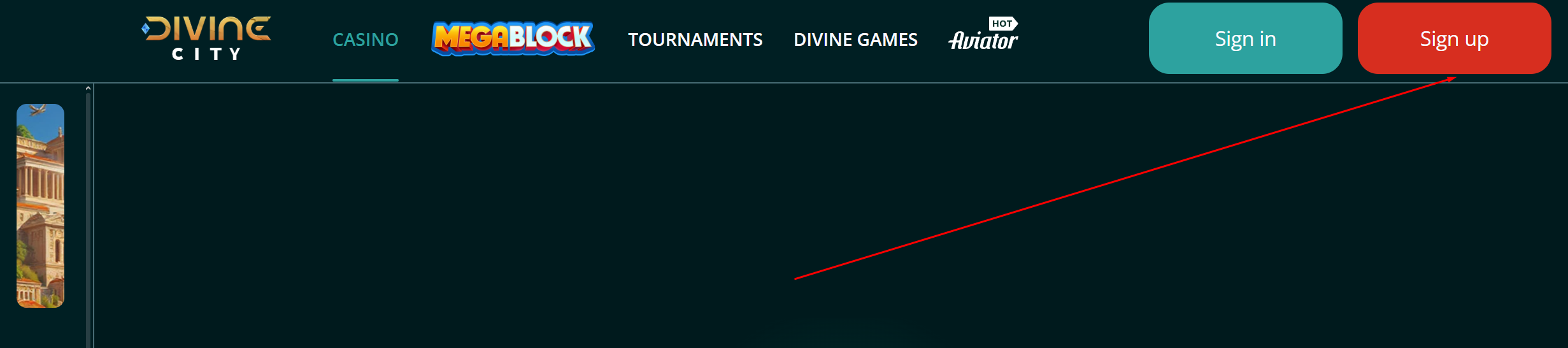
Visit the Official Site
Navigate to the Divine Casino official website. Locate and click the “Sign up” button, typically found in the top-right corner, to begin your account creation.
Choose Method and Currency
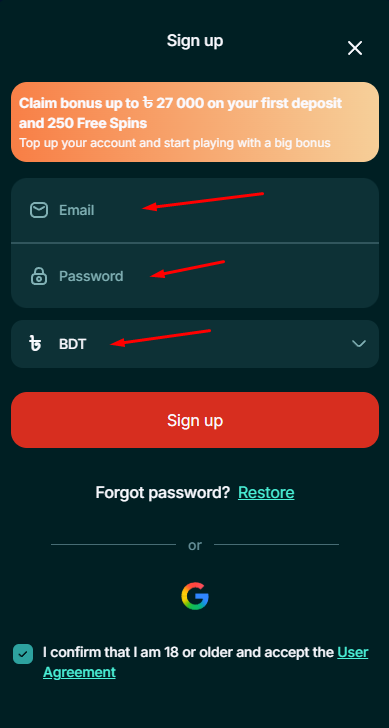
Register using your email and password. Select BDT from the currency list and enter a promo code if you have one to claim your exclusive welcome gift.
Confirm and Deposit
Verify your account via the link sent to your email. Deposit within 60 minutes to secure the increased 125% bonus and start betting on your favorites.
Registration Options Overview
| Registration Type | Status | Time Required | Data Needed | Verdict |
|---|---|---|---|---|
| BY EMAIL | Active | 3 Minutes | Email, Password, Currency | [RECOMMENDED] Best for long-term security and easy account recovery. |
| SOCIAL NETWORKS | Active | 20 Seconds | Google Account | Fastest option for players who want instant access. |
How To Register Via Email
Access the Registration Form
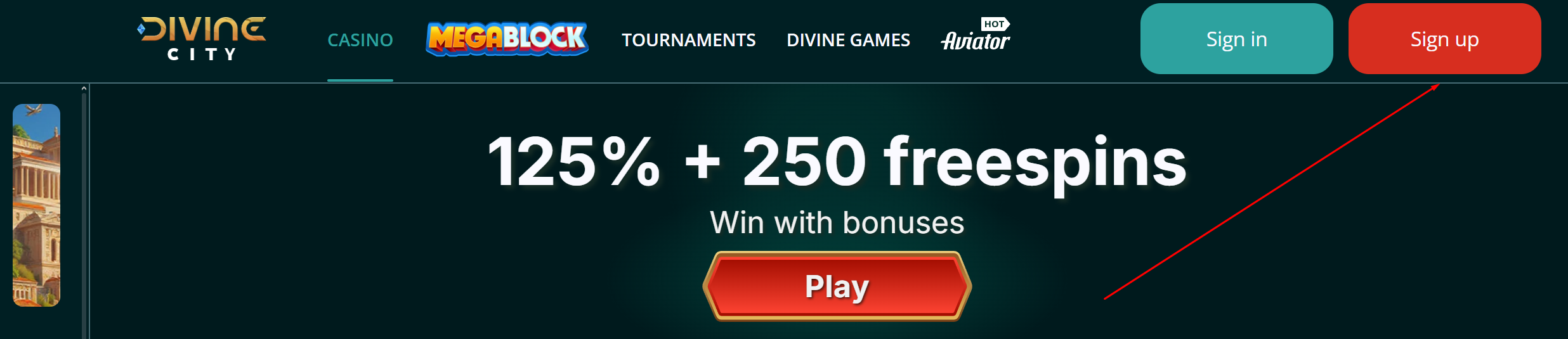
Navigate to the Divine Casino home page and click on the “Sign up” button located at the top of the screen to open the account creation window.
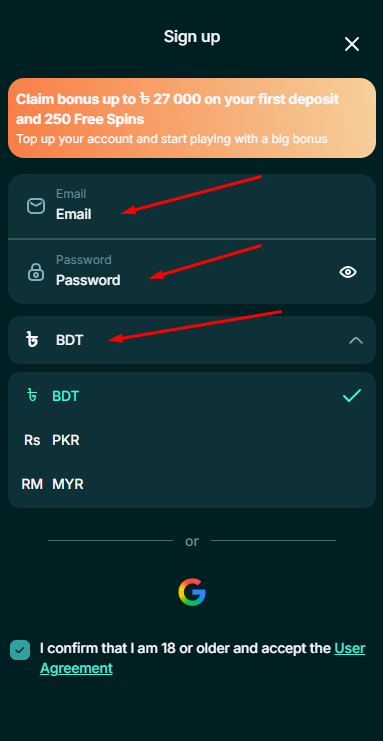
Fill in Your Personal Details
Enter your valid email address, create a secure password for your account, and select your preferred currency from the available options.
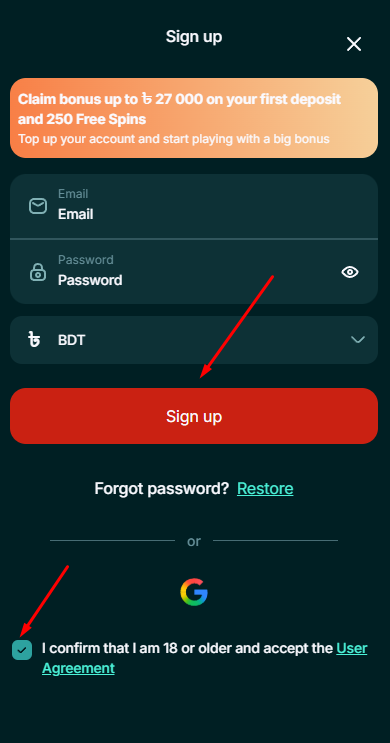
Accept Terms and Complete Registration
Tick the mandatory checkbox to confirm your age and acceptance of the User Agreement, then click the “Sign up” button and make your first deposit to start playing.
How To Register Via Social Networks
Open the Sign-Up Menu
Go to the main page of the website and find the “Sign up” button to begin the quick registration process.
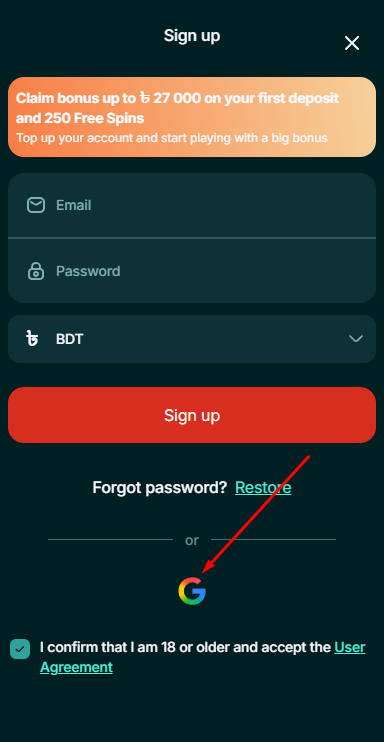
Connect Your Google Profile
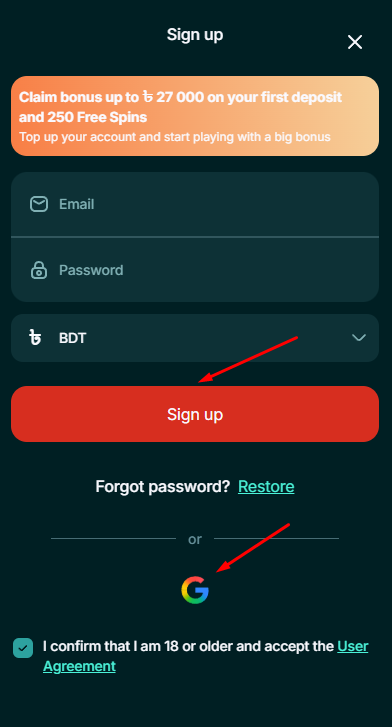
Select the Google icon from the available social login options to link your existing account to the casino instantly.
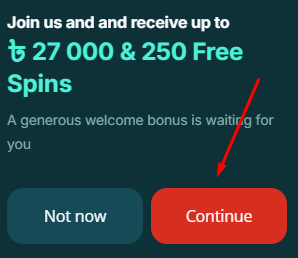
Activate the Welcome Bonus
Finalize the linking process to claim your starting bonus and then make your first deposit to start playing.
All Bookmaker Bonuses 0
No bonuses found matching your criteria.
How to Login
Locate the Sign in Button on the Official Website
Visit the official website home page and find the “Sign in” button at the top of the screen to begin the authorization process.
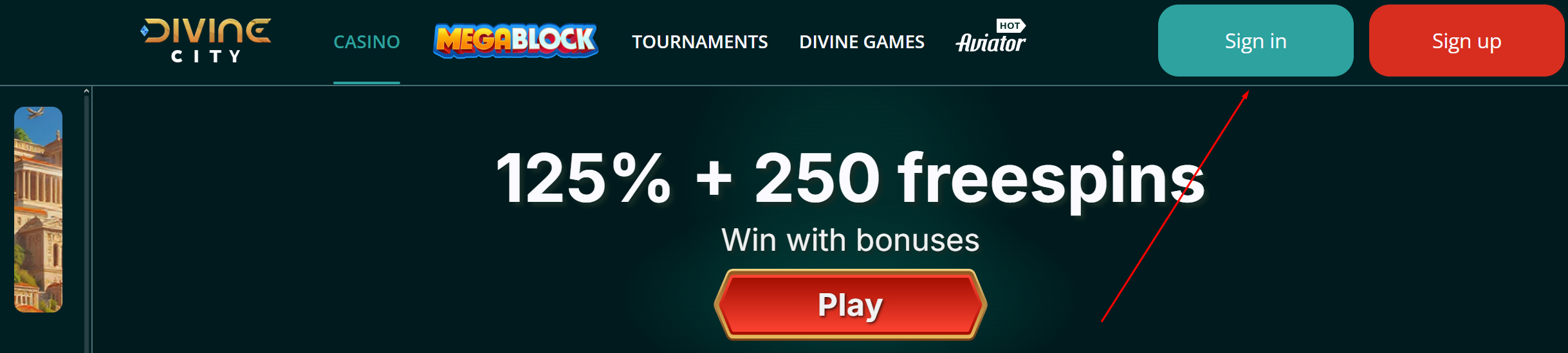
Access Your Account via Email or Google
To successfully Login to your profile, enter your registered email and password or choose the Google account icon for instant Access to all features.
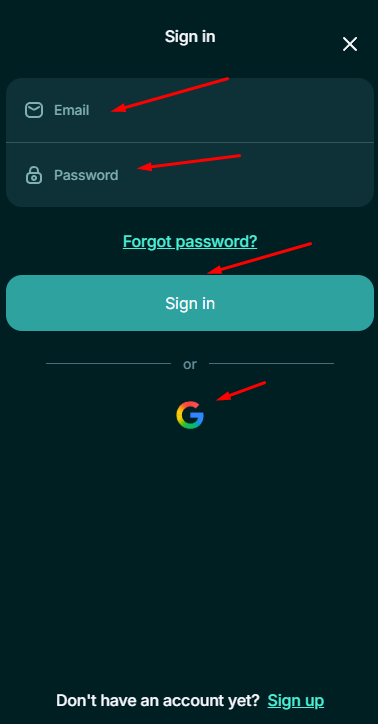
Divine Casino allows players to register and start playing almost immediately, with initial verification being deferred until the first withdrawal request. However, the platform follows a strict 3-step AML policy that triggers deeper checks based on your total transaction volume.
PROFILE FILLING
Mandatory for all users before they can initiate a withdrawal. You must navigate to your account settings and fill in all basic personal details, including your full name, date of birth, gender, nationality, and residential address. This step is also necessary to fully activate and wager your welcome bonuses.
ID VERIFICATION
This stage is triggered when deposits or withdrawals exceed $2,000, or at the discretion of the security team. You must provide a high-quality photo of your official identity document alongside a handwritten note displaying a unique six-digit code; verification typically takes between 24 and 72 hours.
- National ID Card
- Passport
- Driving License
- Utility Bill (Address)
First Deposit Guide
Access the Deposit Button on the Main Page
Visit the Divine Casino home page and select the deposit button to open the secure cashier for a fast and reliable account replenishment.
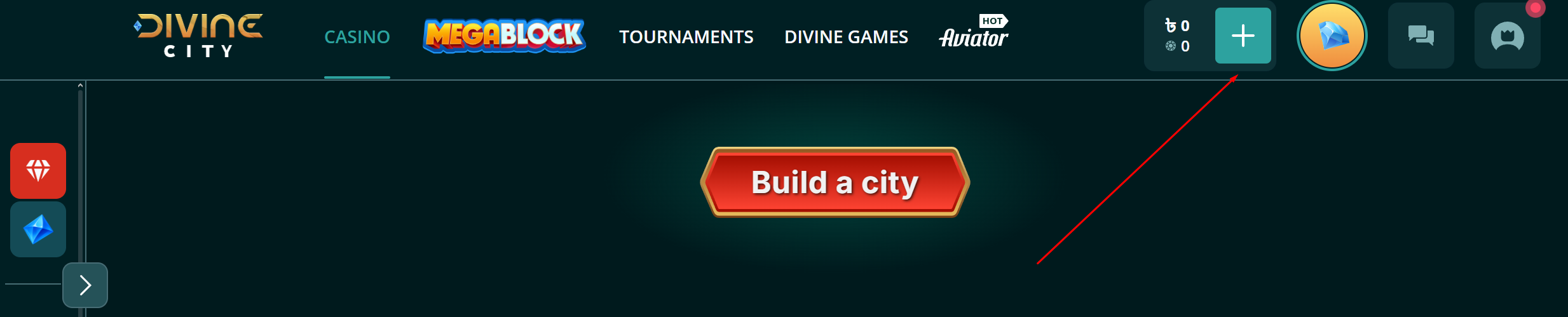
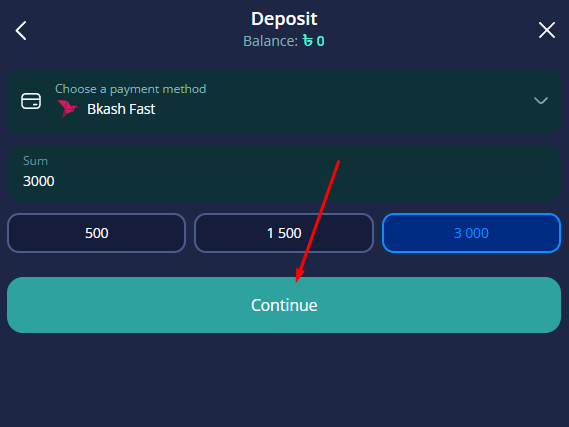
Select Nagad, Bkash, or Upay for Your Payment
Choose your preferred local payment method from options like Nagad, Bkash, or Upay to initiate a secure transaction and unlock your gaming bonus.
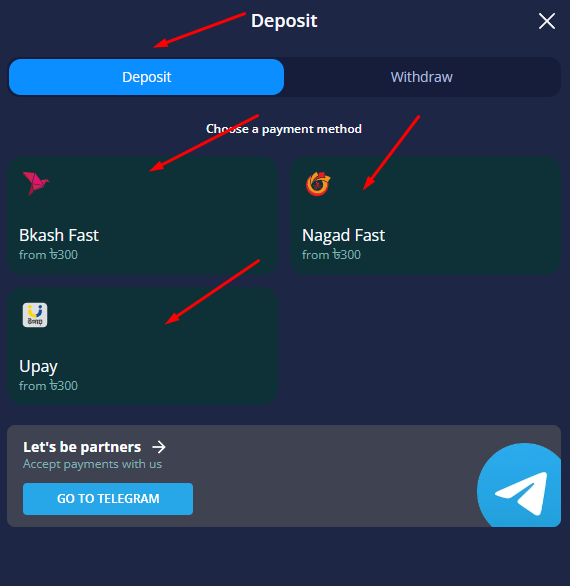
Fill in Required Fields and Click Continue
Provide all necessary payment details in the designated fields and press the continue button to successfully deposit funds and start playing immediately.
Troubleshooting
Encountering an error? Find your issue below to fix it instantly.
Help & Support
FAQ
How to get the Divine Casino welcome bonus?
Users receive a welcome bonus of up to 37,000 BDT upon completing their registration and making an initial deposit on the official website.
What registration methods are available at Divine Casino?
Divine Casino offers account creation via personal email or instant sign up through a Google profile for a faster experience.
Is account verification mandatory for all users?
Profile completion is mandatory for withdrawals, while identity document verification is required for larger transactions or security reviews at Divine Casino.
Which payment methods support BDT deposits?
Players can deposit BDT through secure local services including bKash, Nagad, and Upay via the official website cashier.
Can I open a second Divine Casino account?
Divine Casino strictly permits only one account per user. Individuals should use the forgot password tool to regain access to existing profiles.